
Luminate Assistant.
Our internal, text-based scheduling assistant for Luminate Energy employees.
What this is
The Luminate Assistant is an internal, two-way text-messaging tool used only by Luminate Energy LLC employees. Employees text the assistant in plain language to create, view, reschedule, and cancel their own work-calendar events (for example, “lunch with Marcus Thursday at 1” or “what’s on Friday?”), and the assistant replies with confirmations and calendar information. It is a transactional and conversational service. It is not marketing, and it is not offered to the general public or to customers.
How employees opt in
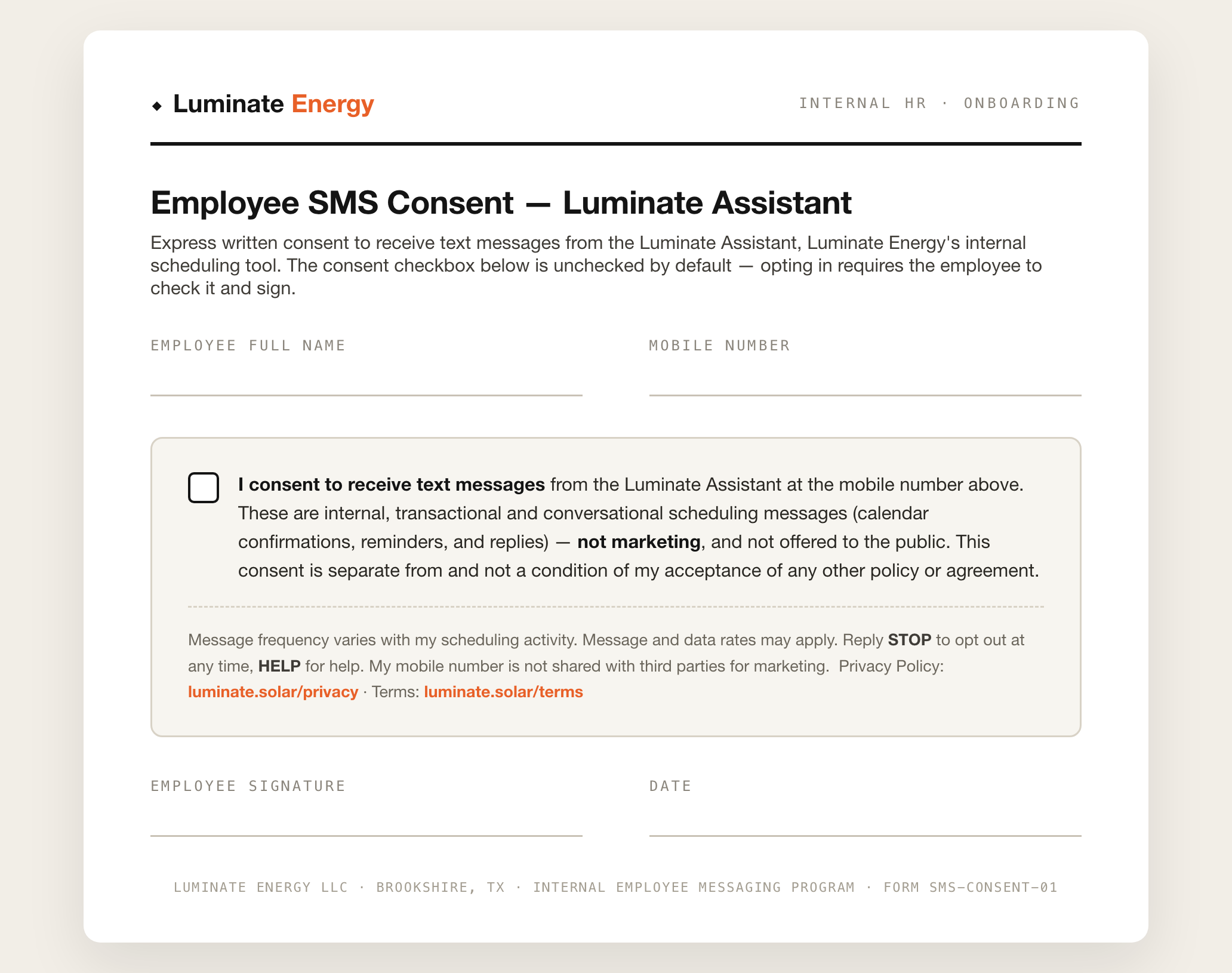
Consent is collected directly from each employee and requires affirmative action. During internal onboarding, a Luminate Energy employee provides their own mobile number and gives express written consent on the internal consent form shown below. The form’s messaging-consent checkbox is unchecked by default — the employee must actively check it and sign to opt in, and that consent is separate from acceptance of any Terms of Service or Privacy Policy, and is not a condition of employment or of any other agreement. The assistant’s number is then shared privately with the employee. On first contact the employee texts START (a second affirmative act) and receives this confirmation:
Opt-in evidence — the written consent form each employee completes during onboarding, shown in its default state (consent checkbox unchecked):
Message frequency & rates
Message frequency varies with each employee’s own scheduling activity. Message and data rates may apply.
Help & opting out
- Reply HELP at any time for help.
- Reply STOP at any time to opt out and stop all messages. Reply START to opt back in.
Privacy
SMS opt-in data and the mobile phone numbers used for the Luminate Assistant are not shared with any third parties or affiliate companies for marketing purposes. See our Privacy Policy and Terms of Service for details.